How to troubleshoot sending email to distribution lists issues in hybrid setup
Time to Execute: 60m
MS support engineer gave this resolution.

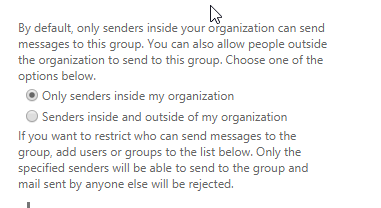
Exchange Online mailboxes are viewed as outside the organization and configuration of allowing “Only senders inside my organization” is preventing Exchange Online mailboxes from sending to DLs.
The Microsoft support person said it was by design if need to send emails on-premise distribution lists then we need to select the second option “Senders inside and outside of my organization” in Exchange on-premise admin center.
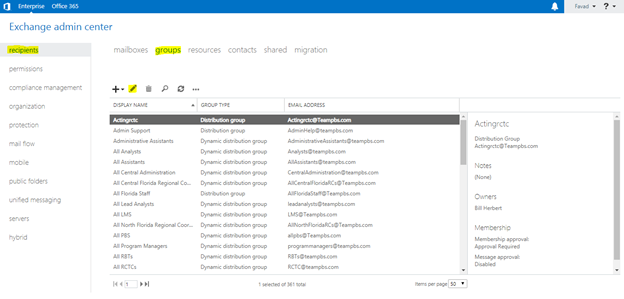
- 1. 1st we need to navigate to Exchange admin center then Click on recipients then click on groups and select desired group(DL) and click on Edit(pencil) button

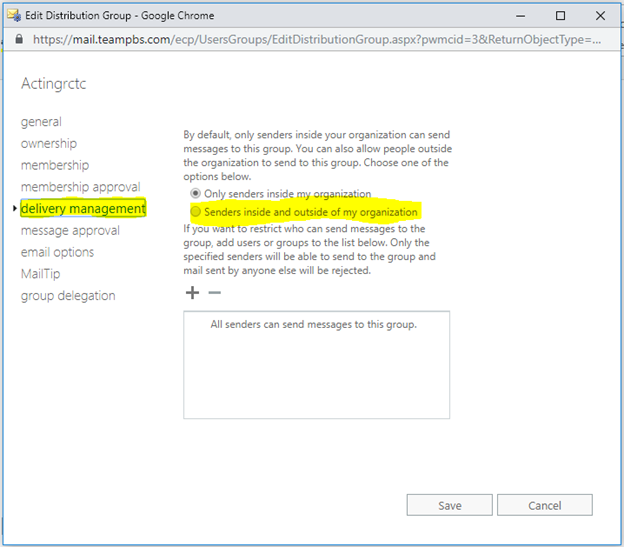
- 2. Now click on delivery management and select second option “Senders inside and outside of my organization”

Last updated on