Flow which will Delete files from library After 10 years
Flow which will Delete files from library After 10 years
Requirement: Anything that has not been accessed in over 10 years will be deleted automatically.
Step 1: Sign into Power Automate
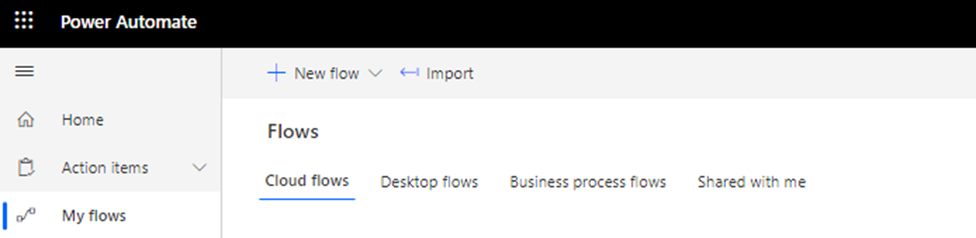
Step 2: click on +New flow
Step 3: Scheduled Cloud flow
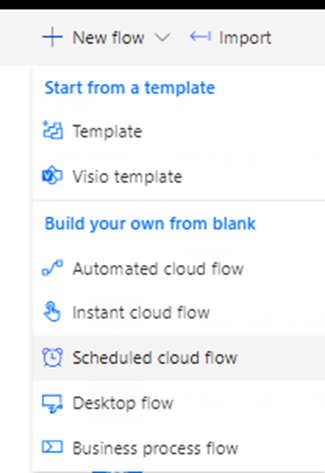
Step 3: Name a flow like here I would say Delete After 10 years (HR)
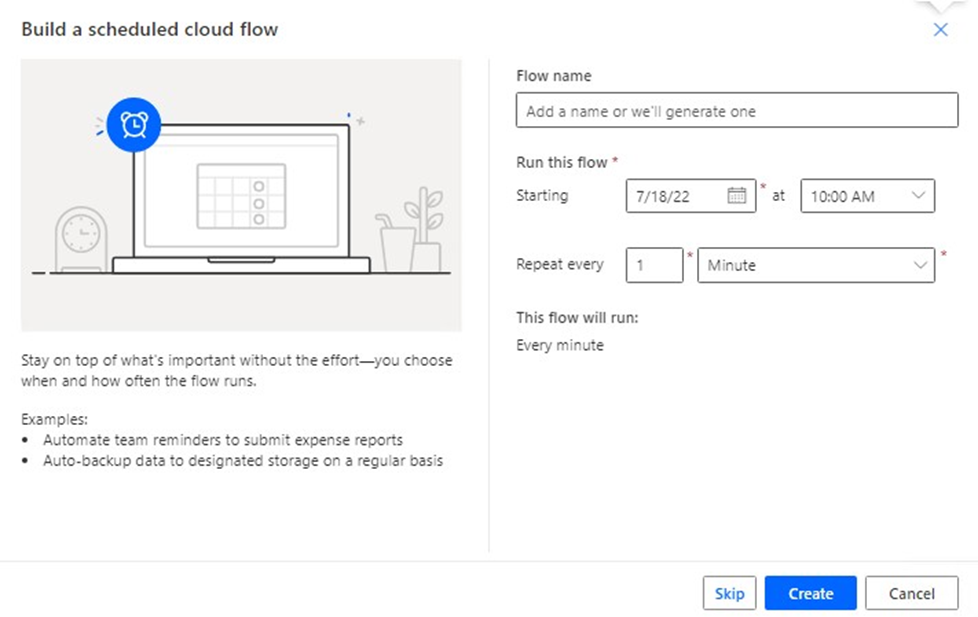
Step 4: Set the starting time and select when you want this flow to trigger automatically.
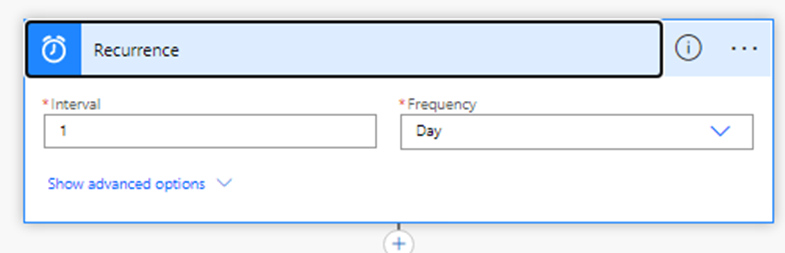
Step 5: click on new step
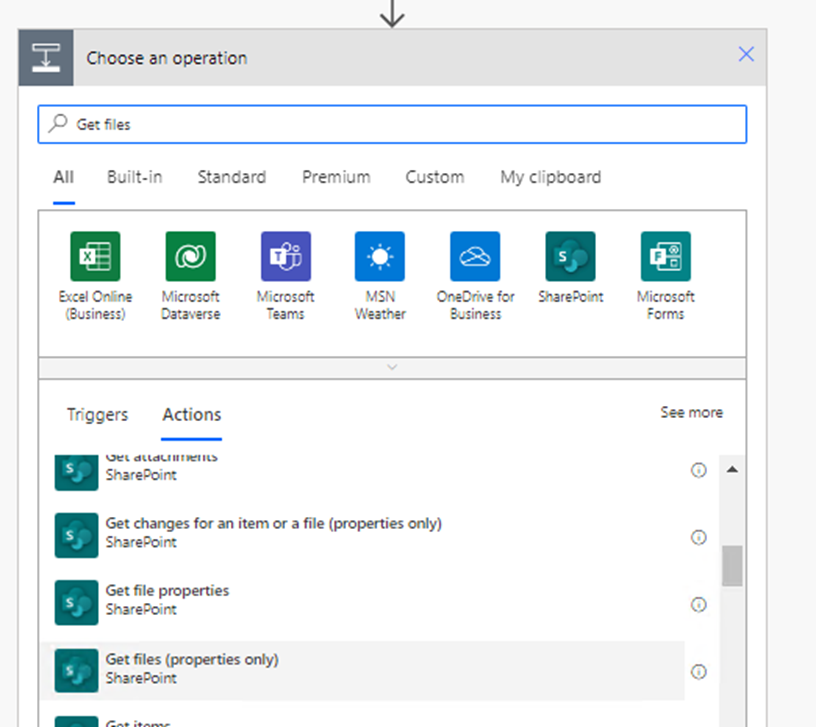
Select Get files (properties only)
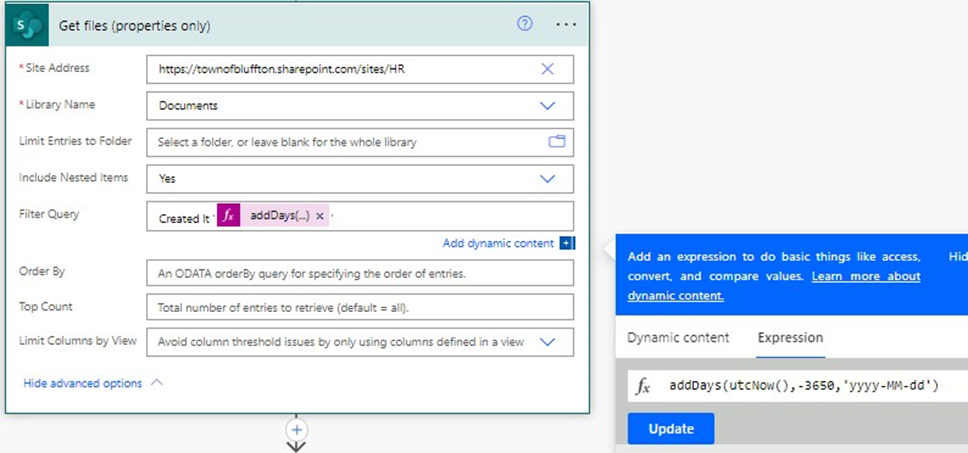
Step 6: click New step And choose apply to each
Set the settings accordingly
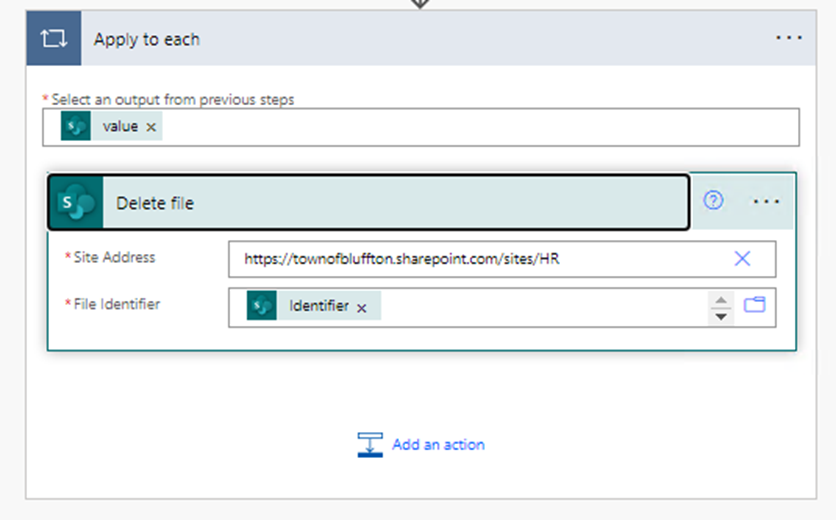
Last Step: Click Save.
Last updated on