Flow which will Delete files from library Move files after 180 days to archive folder
Flow which will Delete files from library Move files after 180 days to archive folder
Requirement: Whenever file has not been accessed in the last 180 days then file will be moved to the Archive folder.
Step 1: Sign into Power Automate
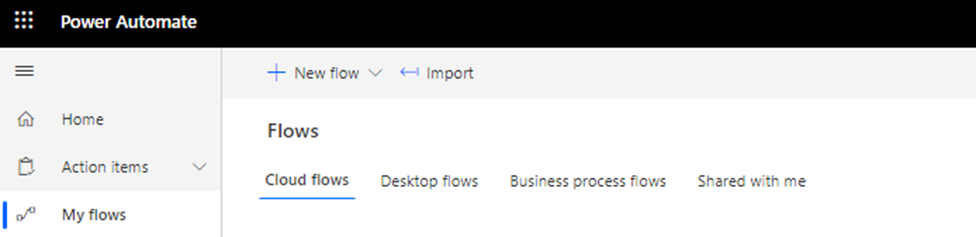
Step 2: click on +New flow
Step 3: Scheduled Cloud flow
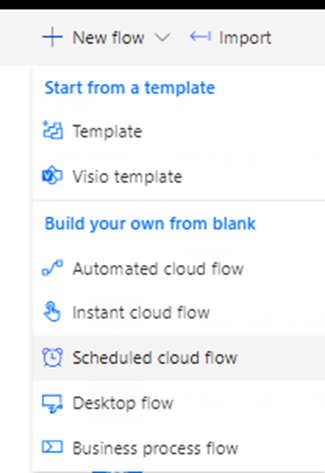
Step 3: Name a flow like here I would say Hidden Archive After 7 years (Business License)
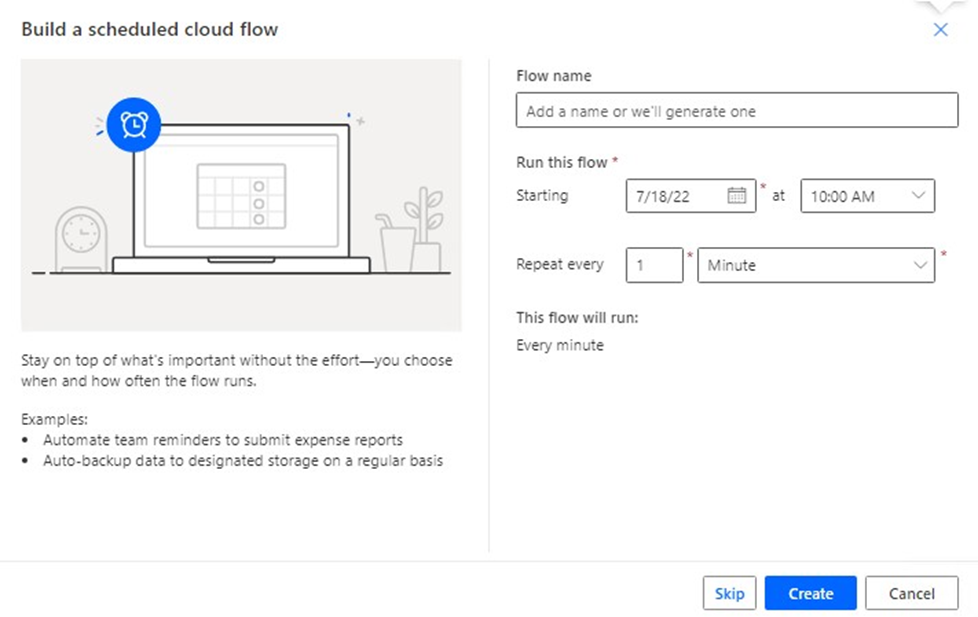
Step 4: Set the starting time and select when you want this flow to trigger automatically.
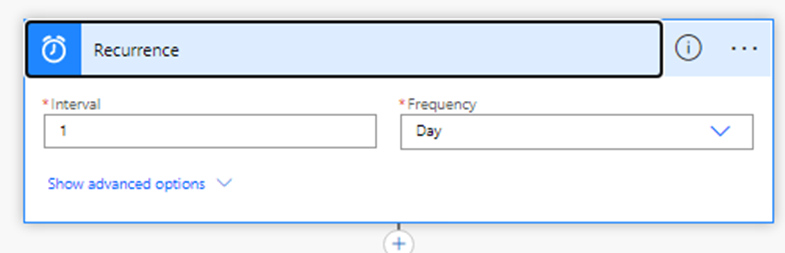
Step 5: click on new step
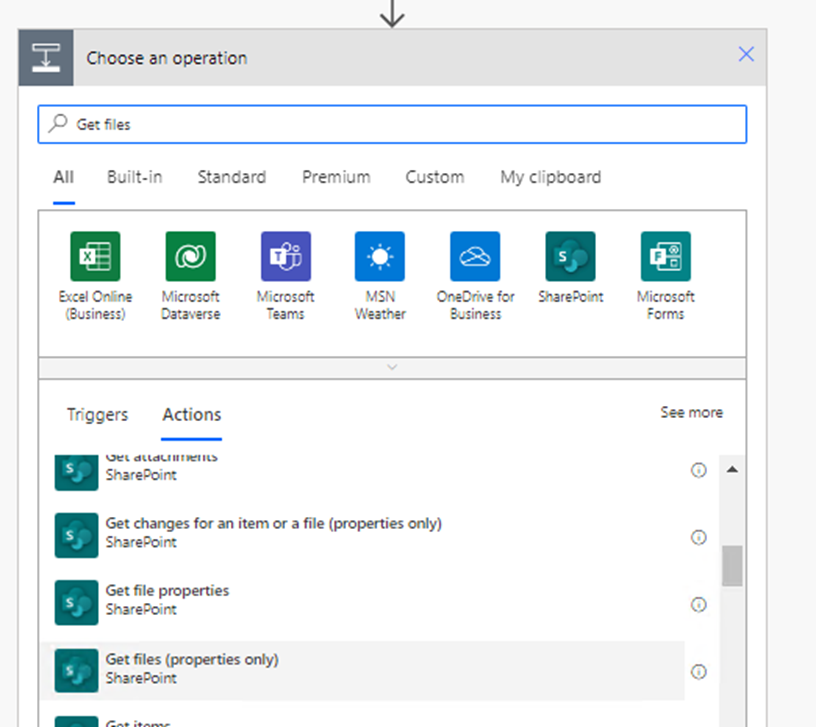
Select Get files (properties only)
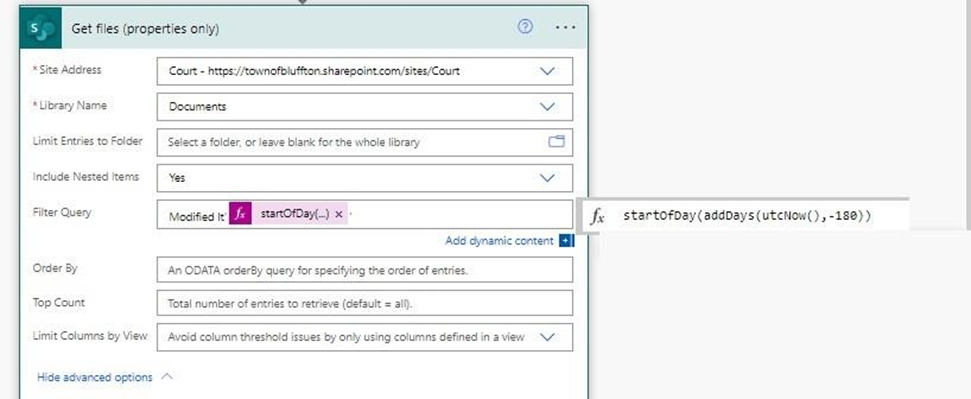
Step 6: click New step And choose apply to each
Set the settings accordingly
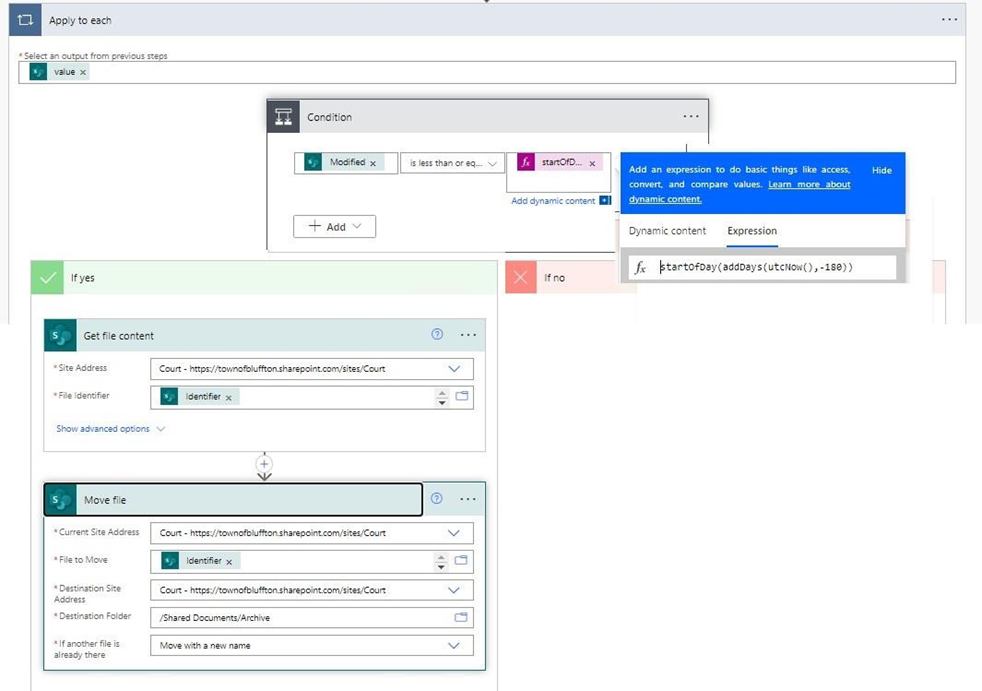
Last Step: Click Save.
Last updated on